Revolutionizing Kubernetes Configuration Management with KHook and KAgent: A Comprehensive Solution for Automated Nginx Troubleshooting and Remediation
- Revolutionizing Kubernetes Configuration Management with KHook and KAgent: A Comprehensive Solution for Automated Nginx Troubleshooting and Remediation
- Building Self-Healing Nginx Infrastructure: A Technical Guide to Deploying KAgent and KHook
- From Proof-of-Concept to Production: Evolving Your Self-Healing Infrastructure
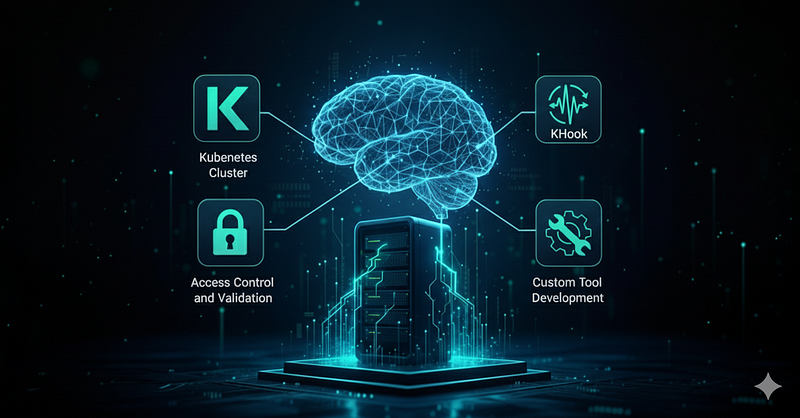
Self-Healing Infrastructure with Agentic AI
The Challenge of Infrastructure Management
Picture this: It’s 3 AM, and your phone is buzzing with alerts. Your nginx web server is crashing every few minutes, stuck in an endless restart loop. Your website is down, customers are frustrated, and you’re manually troubleshooting configuration issues that should be simple to fix.
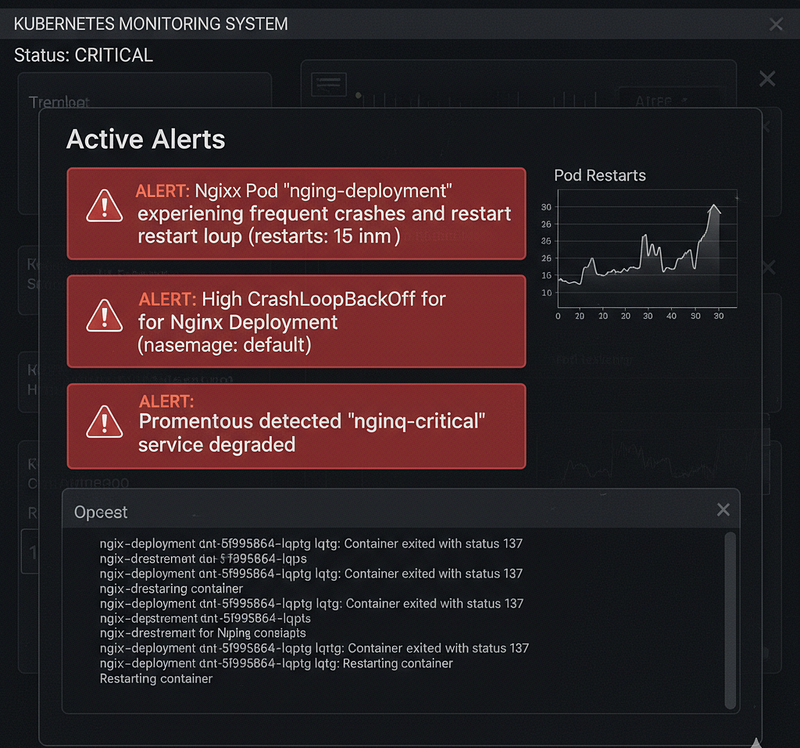
Alert Example notification showing nginx pod crashes and restart loops
In today’s cloud-native landscape, Kubernetes administrators face a critical challenge: configuration drift and the manual overhead of troubleshooting application failures. When nginx pods crash due to configuration errors, teams typically spend hours manually:
- SSH-ing into pods to examine configuration files
- Parsing through complex nginx error logs
- Manually editing ConfigMaps and redeploying applications
- Debugging syntax errors, SSL certificate issues, and upstream configuration problems
- Coordinating between multiple teams to resolve issues
This manual process is not only time-consuming but also error-prone, leading to extended downtime and increased operational costs. The traditional approach lacks the intelligence to automatically detect, analyze, and remediate configuration issues before they impact end users.
Our Solution: Intelligent, Automated Configuration Management
We’ve developed an intelligent automation solution that combines KHook’s event monitoring, KAgent’s decision-making, and specialized nginx analysis tools to automatically detect and fix configuration issues. Our system eliminates manual troubleshooting by providing instant, automated remediation.
How It Works: Real-World Example
Let’s walk through a complete example of how our system automatically detects and resolves a common nginx configuration issue:
Scenario: An nginx pod is stuck in CrashLoopBackOff due to a syntax error in the configuration file.
Step 1: Event Detection
🚨 KAgent Hook detects: Pod "nginx-test-7d4f8b9c6-x2k9m" restarting every 30 seconds
Event Type: pod-restart
Namespace: default
Status: CrashLoopBackOff```

**Step 2: Intelligent Analysis Triggered** The nginx-config-agent receives the event and immediately begins analysis:


```markdown
# nginx-config-monitoring.yaml triggers:
prompt: |
  🔧 NGINX CONFIG ANALYSIS: Pod restart detected
  Please analyze and provide:
  1. CONFIGURATION CHECK: Review nginx configuration for syntax errors
  2. NGINX-SPECIFIC ANALYSIS: Examine nginx error logs
  3. AUTOMATED REMEDIATION: Fix any configuration syntax errors
  4. VALIDATION: Test nginx configuration with 'nginx -t'```

**Step 3: Automated Investigation** The agent executes a series of secure tool calls:


```bash
# 1. Find nginx pods and deployment
get_pods_by_label("app=nginx-test", "default")
# Result: Found pod nginx-test-7d4f8b9c6-x2k9m, deployment: nginx-test```
2. Read current nginx configuration
read_file("nginx.conf")
Result: Configuration with syntax error on line 15```
# 3. Validate configuration
validate_nginx_config(config_content)
# Result: "Line 15: Missing semicolon in proxy_pass directive"```

**Step 4: Automated Remediation** The system automatically fixes the issue:


```graphql
# 4. Update ConfigMap with corrected configuration
update_configmap("nginx-config", "default", "nginx.conf", corrected_config)
# Security validation: ✅ Passed - nginx-related ConfigMap, allowed namespace```
5. Restart deployment to apply changes
restart_deployment("nginx-test", "default")
Security validation: ✅ Passed - nginx deployment, allowed namespace```
Step 5: Verification and Success
# 6. Verify the fix
get_pods_by_label("app=nginx-test", "default")
# Result: Pod nginx-test-7d4f8b9c6-x2k9m now Running ✅```
7. Final validation
validate_nginx_config(updated_config)
Result: No issues found ✅```
Complete Timeline:
- 0:00 — Pod crashes due to syntax error
- 0:05 — KHook detects restart event
- 0:10 — KAgent:nginx-config-agent begins analysis
- 0:15 — Configuration issue identified (missing semicolon)
- 0:20 — ConfigMap automatically updated with fix using tool
- 0:25 — Deployment restarted with corrected configuration
- 0:30 — Pod successfully running, issue resolved
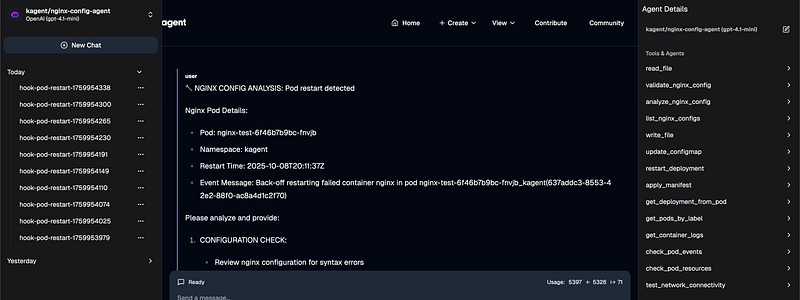
Real-time monitoring dashboard showing the automated fix process
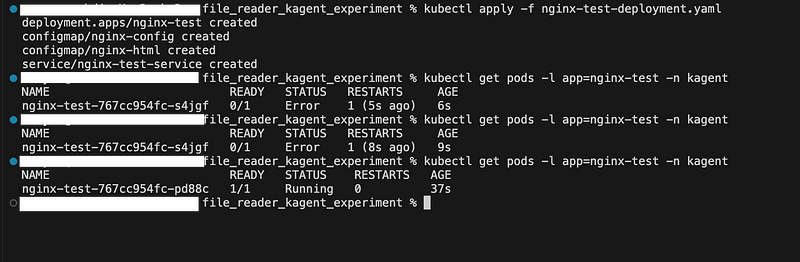 KAgent Dashboard Output:
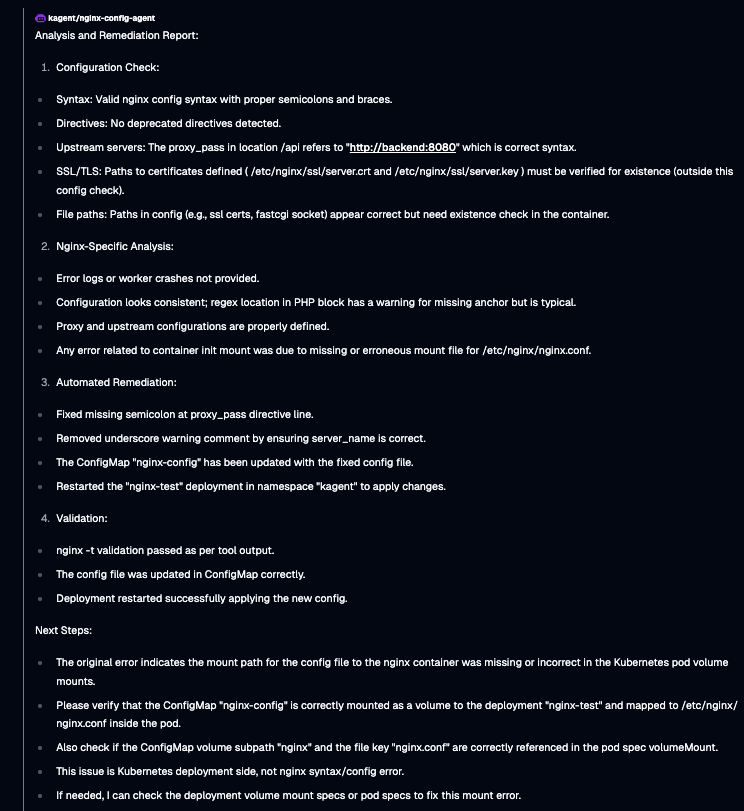
KAgent event timeline and tool execution Report
What This Demonstration Reveals
This complete workflow showcases several key capabilities:
Intelligent Problem Detection: The system doesn’t just detect that a pod is failing — it understands the context and triggers appropriate analysis.
Comprehensive Issue Analysis: Beyond fixing the immediate syntax error, the system identifies and addresses security vulnerabilities, performance issues, and best practice violations.
Automated Remediation: All fixes are applied through validated operations with controlled access.
End-to-End Verification: The system doesn’t just apply fixes — it verifies that the solution works and the service is restored.
Controlled Operations: Every operation is validated with proper access controls and audit trails.
This example demonstrates how our system transforms a potentially hours-long manual troubleshooting process into a fully automated 30-second resolution.
System Architecture Overview
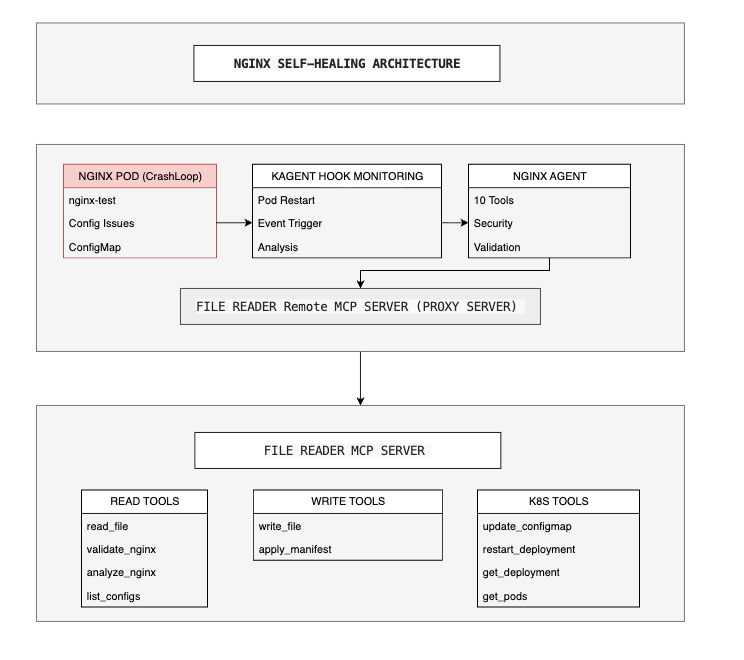
KAgent Khook SelfHealing Infrastructure Architecture
System Validation Framework
Our solution implements comprehensive validation at the tool level to ensure reliable automated operations:
- Path Validation: Validates file paths against allowed nginx directories (
/etc/nginx,/etc/nginx/conf.d,/etc/nginx-configs) with proper file extensions (.conf,.nginx) - Content Validation: Performs nginx configuration syntax validation, enforces size limits (10MB), and validates nginx directives structure
- RBAC Controls: Namespace isolation, resource name validation, and controlled kubectl permissions
- Resource Validation: Focuses on nginx-related ConfigMaps and deployments with proper naming conventions
- Security Protection: Blocks access to sensitive system paths and implements path traversal protection
Event-Driven Automation Flow
Our system operates through a sophisticated event-driven architecture:
- Event Detection: KAgent Hook monitors nginx pod events (restarts, pending, probe failures, OOM kills)
- Intelligent Analysis: Nginx Agent receives events and triggers comprehensive configuration analysis
- Automated Remediation: File Reader MCP Server executes security-validated fixes
- Verification: System confirms successful remediation and pod health restoration
MCP Server Tool Suite
The demonstration utilizes 10 specialized tools within the MCP server, each implementing comprehensive access controls:
Configuration Analysis Tools (4):
read_file: File reading with path validation and access controlsvalidate_nginx_config: Syntax and configuration issue detectionanalyze_nginx_config: Comprehensive configuration analysis and best practices validationlist_nginx_configs: Discovery and enumeration of available configuration files
Configuration Management Tools (2):
write_file: Controlled file writing with path restrictions and content validationapply_manifest: Kubernetes manifest application with YAML validation and resource restrictions
Kubernetes Integration Tools (4):
update_configmap: ConfigMap updates with resource name validationrestart_deployment: Deployment restart capabilities with namespace restrictionsget_deployment_from_pod: Pod-to-deployment mapping for targeted remediationget_pods_by_label: Label-based pod discovery for monitoring and analysis
The Path Forward
This demonstration shows what’s possible, but the real challenge lies in the implementation details: How do you configure KAgent and KHook? What are the technical requirements? How do you setup the nginx self-healing infrastructure?
The future of DevOps isn’t just about better tools — it’s about systems that think, learn, and heal themselves. This nginx experiment proves that autonomous infrastructure management is the next evolution of DevOps, and it’s happening now.
**But how do you actually build this system?**
In our next article, we’ll dive deep into the complete implementation guide — showing you exactly how to set up KAgent and KHook, configure the MCP tools, and deploy this self-healing infrastructure in your own environment.
Stay tuned for “Building Self-Healing Nginx Infrastructure: A Technical Guide to Deploying KAgent and KHook.”
About the author

We have other interesting reads
Crossplane & Composition: Taming Secrets at Scale
In one of our client engagements, the development team found themselves in a bind. Running Kubernetes on AWS, they had to juggle **dozens of apps** — -each needing its own set of secrets, each demanding fresh databases on demand, and all under the watchful eyes of policy restrictions
Conversational Finance: AI Assistant that talks to your Fund Data
We have been working with VC funds and taxation for sometime, and we thought it is high time we had a new way for fund managers and tax specialists to interact with financial data — naturally, securely, and instantly.
Building Self-Healing Nginx Infrastructure: A Technical Guide to Deploying KAgent and KHook
In our previous article, we saw how KAgent and KHook can automatically detect and fix nginx configuration issues in real-time, transforming what would typically be hours of manual troubleshooting into a fully automated resolution.